The confusion is expensive
I’ve watched teams scale from “one shared inbox and vibes” to a full-blown customer operation, and the same failure pattern keeps showing up: requests pile up, routing gets messy, and “support” gets blamed for problems that are actually “service” gaps.
You see it in the symptoms:
A billing dispute sits in the bug queue for two days.
An outage ticket gets a polite policy template.
Agents burn out because every message feels like it should be handled “right now”, by whoever’s online.
If you want five minutes of clarity that turns into better staffing, better metrics, and cleaner AI automation, this is it.
Definitions that actually hold up in real teams
Lots of businesses use customer support and customer service interchangeably. Linguistically, that’s not wrong. Operationally, it becomes expensive when work is not clearly owned and routed.
Here’s the distinction I use when I’m designing workflows:
Customer service is the end-to-end experience layer. It’s how a customer feels moving through your lifecycle, onboarding, policies, renewals, delivery, trust, relationship.
Customer support is the problem-solving layer. It’s obstacle removal: troubleshooting, reproducing issues, fixing what’s broken, getting someone unstuck.
A simple litmus test you can apply to any message:
Is the customer trying to decide/understand (service), or trying to fix/unstick (support)?
One important nuance: the common “service is proactive, support is reactive” framing is too simplistic.
Support can be proactive (monitoring, outreach on known issues, guided setup, incident follow-ups).
Service can be reactive (refunds, cancellations, delivery problems, billing disputes).
So don’t organise around “proactive vs reactive”. Organise around experience guidance vs issue resolution.
The 10-minute “Request Map” framework
If you only steal one thing from this article, steal this. Pull up your last 50–100 inbound requests (tickets, chats, emails, DMs). Then sort everything into four buckets:
1) “How do I…?” (product usage guidance)
Examples: setup, workflows, best practices, “where do I find X?”
Primary: Service
Often overlaps: Support when guidance becomes troubleshooting
Typical owner: Service generalists, onboarding specialists
Escalation: Product specialist if it becomes technical
2) “Something broke” (bugs, errors, outages)
Examples: 500 errors, missing data, integrations failing, app crashes
Primary: Support
Typical owner: Support specialists, technical support
Escalation: Engineering with reproduction steps and impact
3) “Account & money” (billing, plan, refunds)
Examples: failed payment, invoice requests, downgrades, charge disputes
Primary: Service (policy + relationship)
Support involvement: When billing issues are caused by technical failures
Typical owner: Service, billing ops
Escalation: Finance ops, risk, sometimes engineering
4) “Decision & confidence” (which plan, fit, policy clarity)
Examples: “Is this right for my team?”, “Do you integrate with…?”, “What’s your refund policy?”
Primary: Service
Escalation: Sales or success for high-touch, support for technical validation
Now add two labels to each bucket:
Owner (who is accountable for resolution)
Routing rule (how requests get to the owner, including what AI handles)
If you do this exercise properly, you’ll usually discover the real problem is not headcount. It’s that you have one queue trying to serve two jobs.
Quick self-check quiz (30 seconds)
Which bucket do you over-index on today?
A) “How do I…?” dominates
B) “Something broke” dominates
C) “Account & money” dominates
D) “Decision & confidence” dominates
Your answer tells you where to invest first: docs and guidance (A), support runbooks and escalation packets (B), policy tooling and billing workflows (C), or clearer packaging and pre-sales clarity (D).
What changes when you separate them
Once you treat service and support as different jobs (even if the same people do both), four operational decisions get easier.
Staffing
Service thrives with strong communicators who can explain, reassure, and navigate policy.
Support needs structured problem-solvers who can isolate variables, reproduce issues, and write crisp handoffs to product or engineering.
In smaller teams, people will wear both hats. The win is making the hat-switch explicit, so your queue and expectations stay sane.
Training
Service training: tone, policy, product narrative, “what good looks like” across the lifecycle.
Support training: debugging flowcharts, logs, reproduction steps, environment questions, incident comms.
Workflows and escalation
Support needs a clean path to engineering. Service needs a clean path to billing ops, success, or sales. When you conflate the two, everything escalates everywhere, and nobody trusts the process.
Knowledge
Service content: help docs, pricing/policy pages, onboarding guides, macros for common questions.
Support content: runbooks, incident templates, known-issues lists, diagnostic scripts.
Metrics that match the job (and the traps to avoid)
The fastest way to break a support team is to measure them like a service team, or vice versa.
Service metrics that make sense
CSAT by interaction type (not one blended score)
First response time by channel
First-contact resolution for simple, low-variance questions
Retention signals (complaint rate, cancellations prevented, repeat contacts)
Support metrics that make sense
Time to resolution (segmented by complexity)
Reopen rate
Escalation rate with quality checks
Bug reproduction rate (how often engineering can reproduce from the packet)
Incident communication quality (clarity, timeliness, next steps)
Metric traps
Optimising AHT (average handle time) for complex support, you’ll train agents to rush and you’ll pay in reopens.
One blended CSAT across every request type, it hides where the experience is actually failing.
Where Mando fits (without turning this into an ad)
When I think about AI in customer ops, I draw a simple line: AI handles repetition, humans handle judgment and exceptions.
That maps neatly onto service vs support:
Service + AI: instant answers for policies, order/account FAQs, “how do I…” guidance, and clean handoffs with context when a human is needed.
Support + AI: structured troubleshooting, asking the right diagnostic questions, surfacing relevant runbooks, capturing reproduction info, and building a smart escalation packet.
Mando acts like the operating system for this separation: it can triage, resolve low-variance requests, and package context so humans spend time where it matters.
Practical example: “billing failed and the user is locked out”
Before
Mixed inbox receives: “My payment failed and now I can’t log in.”
Routed to support, they chase billing details.
Bounced to finance, they ask for screenshots.
User replies three times, gets frustrated, churn risk rises.
After (with clear routing + Mando)
Mando identifies what the user is actually asking, and separates the “billing/access” thread from the “login isn’t working” thread so the response stays clear.
It looks up the most relevant answers from its trained company knowledge (docs, policies, runbooks) and gives the user immediate, step-by-step guidance to diagnose and unblock themselves.
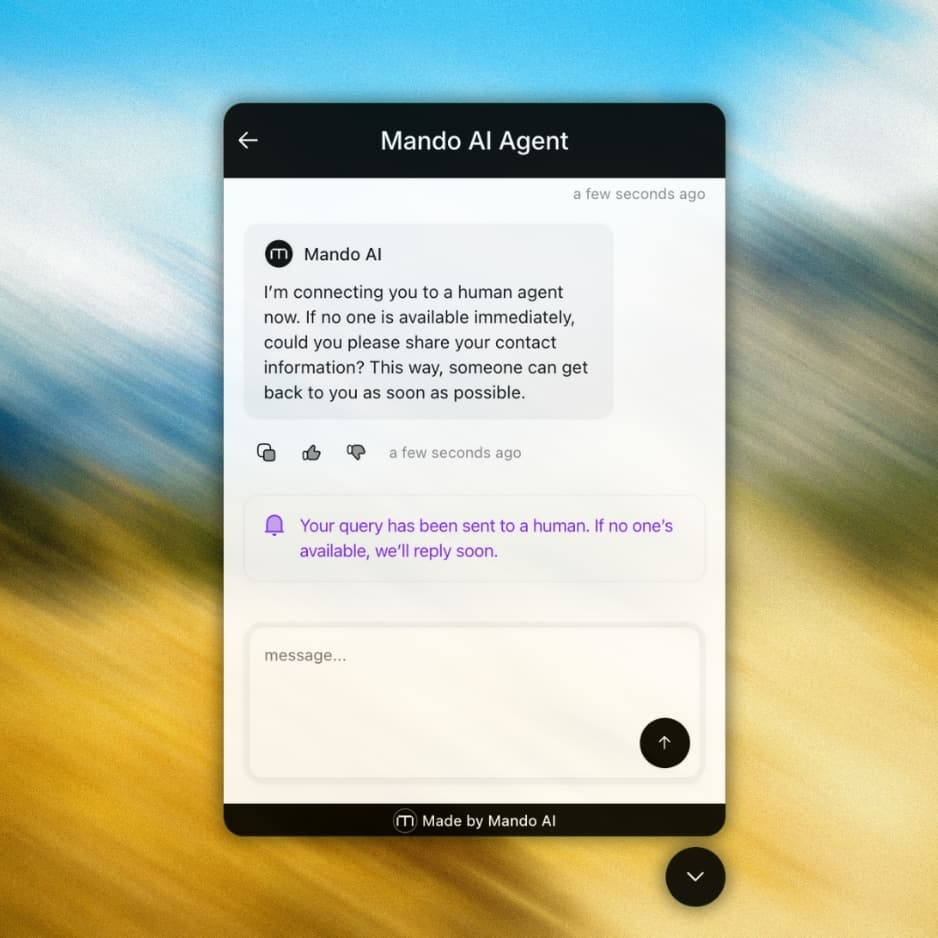
If the issue still isn’t resolved, it escalates to a human with the key context collected (error message, device/app details, what they’ve already tried, screenshots if provided).
Humans handle the edge case, not the back-and-forth.
Closing checklist
If you do nothing else this week:
Define the labels: experience guidance (service) vs issue resolution (support)
Map request types: run the 4-bucket Request Map on your last 50–100 requests
Set routing rules: define owner + escalation (tickets assigments) path for each bucket
Pick metrics per job: stop blending everything into one score
Automate the low-variance: use AI for fast answers and better escalation packets
If you want to make this real without adding process bloat, Mando AI is built for exactly this: separating service and support workflows with AI that reduces volume, improves routing, and gives humans the context to solve the hard stuff properly.
Read more: